


Function:
1.Function Optimization
Quotation system has been updated, which supports obtaining SAM quote / account fund information; SAM trading account transactions are not available
2.New Features
Theme skin: grey, dark
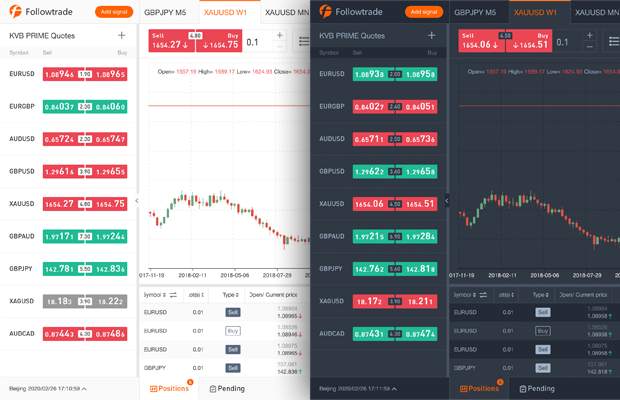
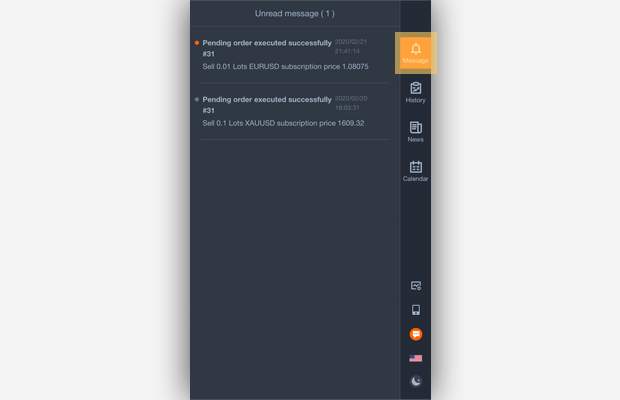
Messages received: when pending order is triggered successfully/failed, when net value protection is triggered, push important information
3. Function Adjustment
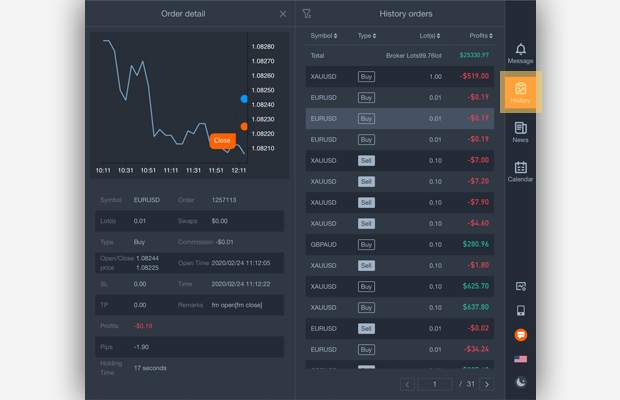
History orders has been moved to the right navigation
Interactive Operation:
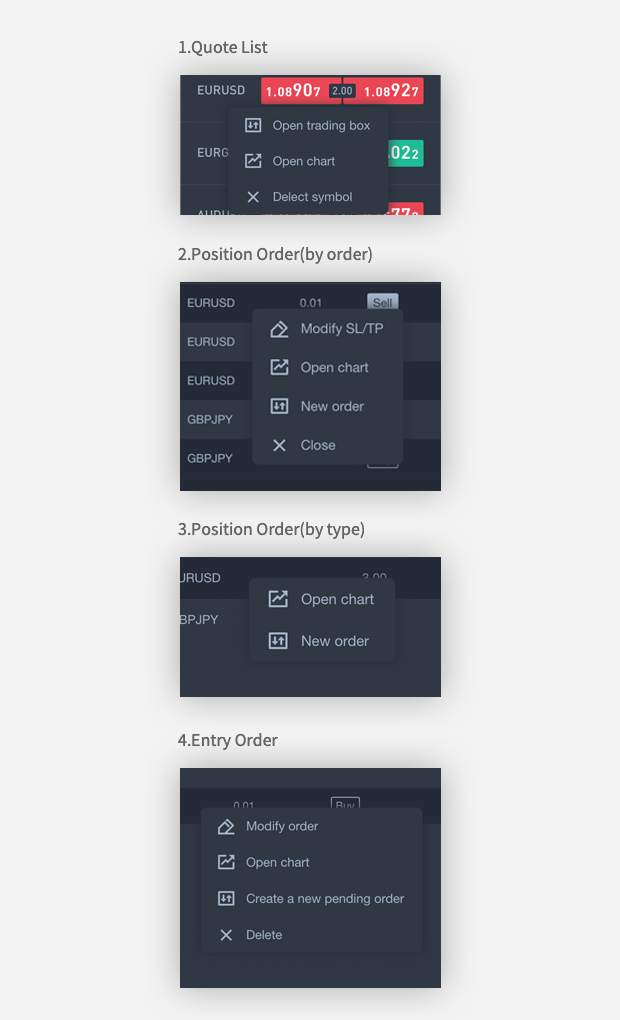
1.Right-click Operation
Quote List: Open trading box, Open chart, Delete symbol
Position order (by order): Modify SL / TP, Open chart, New order, Close.
Position Orders (by type): Open chart, New order.
Entry orders: Modify orders, Open charts, Create a new pending order, Delete.
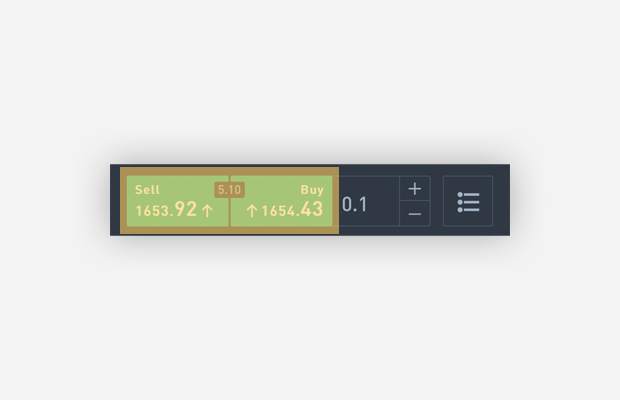
2. Quick Order--To use this function, please go to “Settings” and turn on "Quick Order"
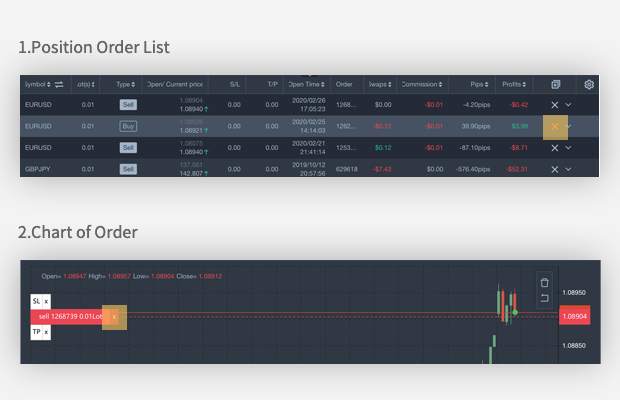
3. Quick close- To use this function, please go to Settings and turn on " Quick close"
Position Order List "X"
Chart of Order "X"
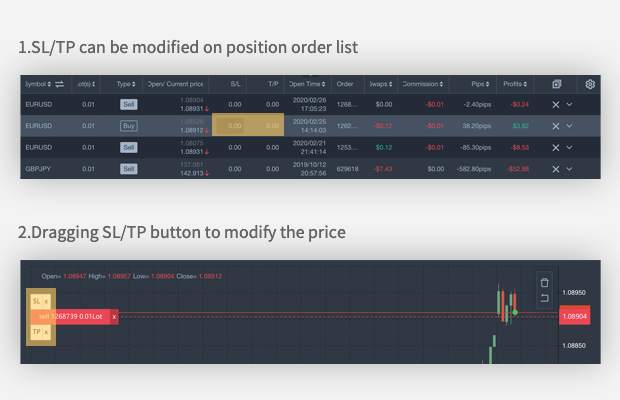
4.Quickly modify SL / TP
SL/TP can be modified on position order list
Dragging SL/TP button to modify the price
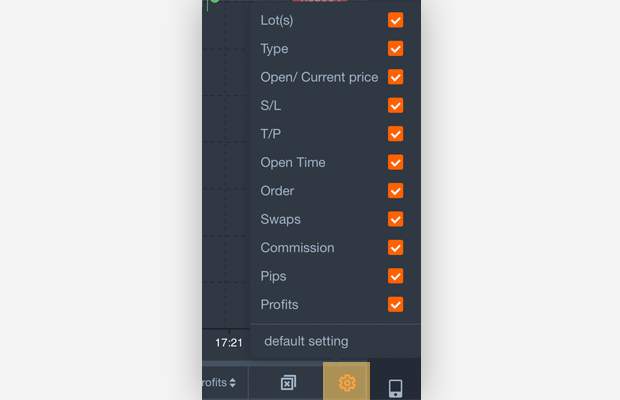
5.Custom parameters setting
The position & pending order list parameters can be clicked to show / hide
#followmeguidence#
風險提示:本文所述僅代表作者個人觀點,不代表 Followme 的官方立場。Followme 不對內容的準確性、完整性或可靠性作出任何保證,對於基於該內容所採取的任何行為,不承擔任何責任,除非另有書面明確說明。

暫無評論,立馬搶沙發